

Enhanced Support for Your Immersive Technology
At Lumination, we’re always looking for ways to improve your experience. We’re excited to announce that we’ve introduced a new Lumination Service Portal to enhance how we manage and respond to support requests for your Lumination Learning Lab or Immersive Learning Kit. This new tool will ensure that you receive prompt and reliable technical support.
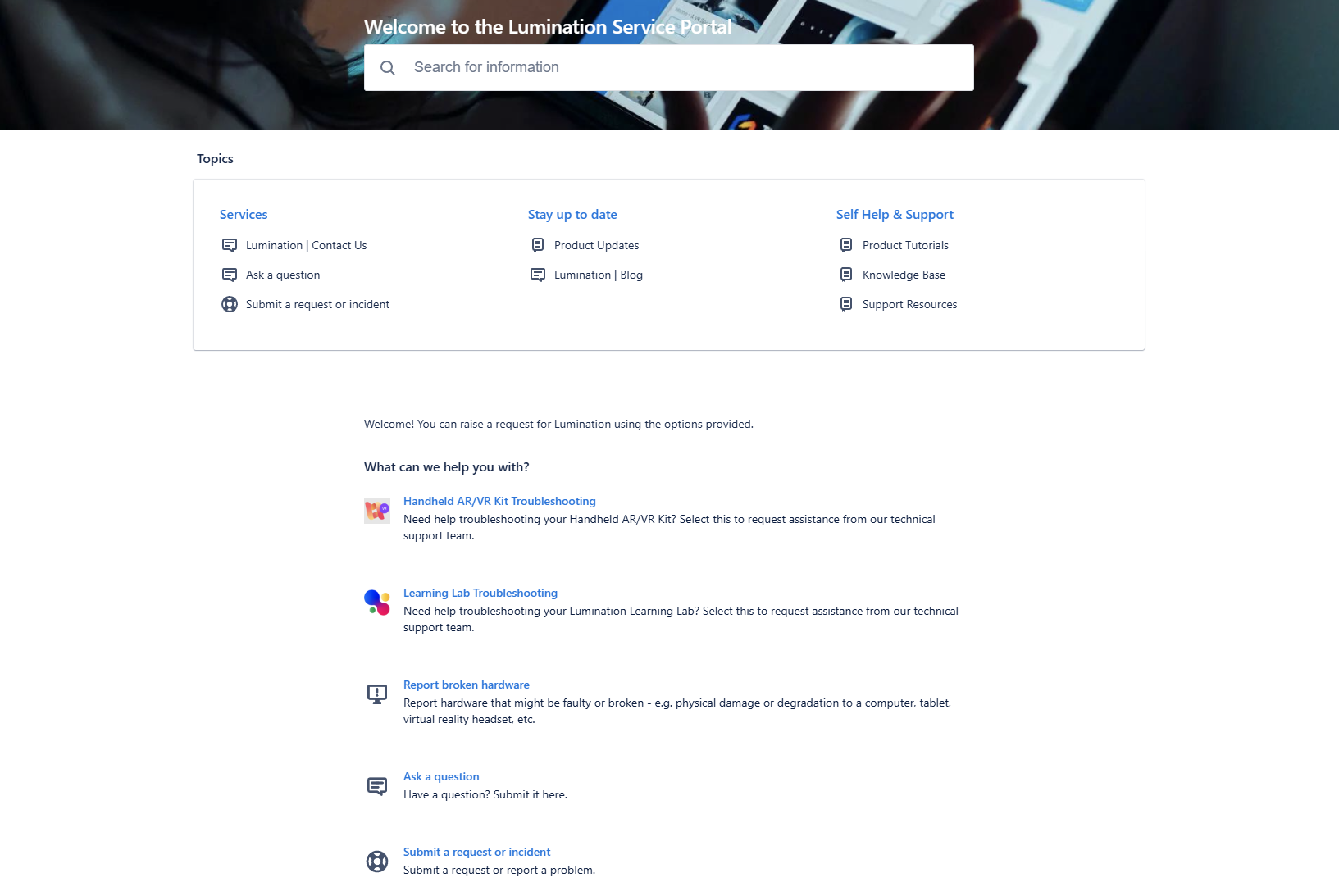
What Does This Mean for You?
With Jira Service Management, you’ll be able to:
- Submit New Support Tickets: Easily reach our Technical Support Team for any issues you’re experiencing.
- Suggest Improvements: Share ideas for enhancing our software and services.
- Track and Update Tickets: View the status of previously submitted requests and provide any new details if needed.
- Get Expert Guidance: Receive clear, step-by-step technical assistance to resolve any challenges you face.
- Access Web Services: Request access to training courses, bespoke content, and documentation to support your team’s learning and growth.
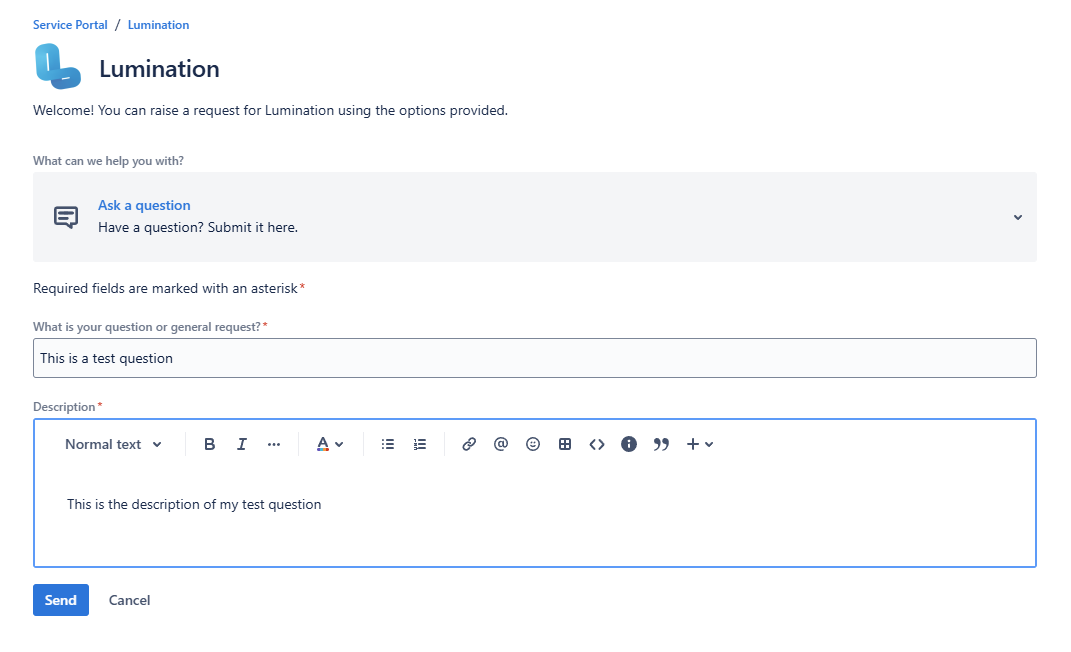
How to Get Started?
To begin using Jira Service Management, follow the instructions in this helpful article on how to sign up for a service account. Once you’ve signed up, you’ll have full access to all the tools you need for submitting and managing your support requests.
Why the Change?
We’ve adopted this new system to streamline the support process, making it quicker and easier for you to get the help you need. Whether you’re facing technical issues or seeking additional resources, our goal is to ensure you have a seamless experience with your Lumination Learning Lab or Immersive Learning Kit.
If you have any questions or need help setting up your account, feel free to reach out to our support team.
Thank you for choosing Lumination — we look forward to continuing to support your immersive learning journey!
how we can help
Resources, Lesson Plans & more.

Tutorial
LeadMe: Switching Between Experiences
Using LeadMe inside a Lumination Learning Lab a user can switch between different virtual reality ex...

Tutorial
LeadMe: What are the different modes?
LeadMe empowers educators to unleash the full potential of Lumination Learning Labs with the ease of...

Tutorial
LeadMe: Accessing connected devices
Inside a Lumination Learning Lab, LeadMe allows you to access whether devices are connected within t...

Tutorial
LeadMe: Turning on a single Station
Inside a Lumination Learning Lab, LeadMe allows you to load and close experiences. Follow the guide ...
Help & Support
Service Portal
View and keep track of your support requests with our Customer Service team.
Knowledge Base
Troubleshoot your issue quickly by accessing guides and viewing answers to frequently asked questions.
Support Tickets
Lodge a support ticket with our Customer Service team.